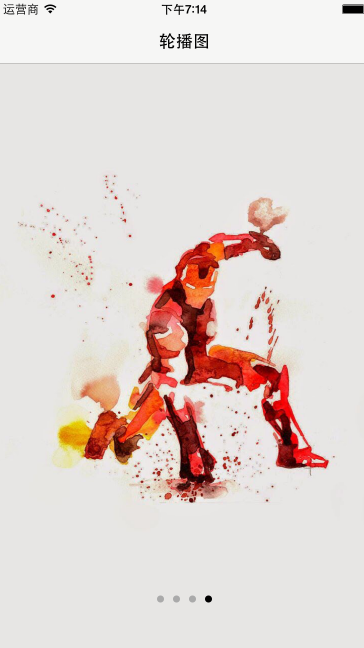
// RootViewController.m
// **UI8_轮播图
//**
// Created by YIem on 15/12/16.
// Copyright (c) 2015年 www.yiem.net YIem博客. All rights reserved.
//
import "RootViewController.h"
@interface RootViewController ()
@property (nonatomic, retain) UIScrollView *scrollView;
@property (nonatomic, retain) UIPageControl *page;
@property (nonatomic, retain) NSTimer *timer;
@end
@implementation RootViewController
(void)viewDidLoad {
[super viewDidLoad];
// Do any additional setup after loading the view.self.view.backgroundColor = [UIColor whiteColor];
self.title = @"轮播图";
// 图片数组
NSMutableArray *photoArr = [NSMutableArray array];
for (NSInteger i = 0; i < 4; i++) {
    //图片名
    NSString *name = [NSString stringWithFormat:@"%ld", i];
    // 图片路径
    NSString *path = [[NSBundle mainBundle] pathForResource:name ofType:@"jpg"];
    /* 当前图片在外面 用路径
     当前图片在里面 不能也路径
     直接  UIImage *img = [UIIMage

     */

    // image
    UIImage *img = [UIImage imageWithContentsOfFile:path];
    //添加数组
    [photoArr addObject:img];
}
// 无限循环 最后添加第一页
[photoArr addObject:photoArr.firstObject];

// 轮播图
self.scrollView = [[UIScrollView alloc]initWithFrame:self.view.bounds];
_scrollView.backgroundColor = [UIColor yellowColor];
[self.view addSubview:_scrollView];
[_scrollView release];
// 内容大小
_scrollView.contentSize = CGSizeMake(photoArr.count* 375, 0);
_scrollView.pagingEnabled = YES;
// 小图片跟随图片
_scrollView.delegate = self;
// 铺图片
for (NSInteger i = 0; i < photoArr.count; i++) {
    // imageView
    UIImageView *imgView = [[UIImageView alloc]initWithFrame:CGRectMake(i * 375, 0, 375, 667)];
    imgView.image = photoArr[i];
    [_scrollView addSubview:imgView];
    [imgView release];
}

// pageControl
self.page = [[UIPageControl alloc]initWithFrame:CGRectMake(0, 0, 150, 30)];
_page.center = CGPointMake(self.view.center.x, 600);
_page.numberOfPages = 4;
_page.pageIndicatorTintColor = [UIColor lightGrayColor];
_page.currentPageIndicatorTintColor = [UIColor blackColor];
[self.view addSubview:_page];
[_page release];
// 点击事件
[_page addTarget:self action:@selector(pageAction:) forControlEvents:UIControlEventValueChanged];

// 自适应边界
self.automaticallyAdjustsScrollViewInsets = NO;


// timer 自动滚
self.timer = [NSTimer scheduledTimerWithTimeInterval:1 target:self selector:@selector(roll) userInfo:nil repeats:YES];
}
// 自动滚
/*
(void)roll
{
[_scrollView setContentOffset:CGPointMake(_scrollView.contentOffset.x + 375, 0) animated:YES];
// 解决点 不同步
_page.currentPage = _scrollView.contentOffset.x / 375 + 1;
// 从头滚
if (_scrollView.contentOffset.x == 375 * 4) {_scrollView.contentOffset = CGPointZero; _page.currentPage = 0;}
}
*/(void)roll
{
// 从头滚
if (_scrollView.contentOffset.x == 375 * 4) {_scrollView.contentOffset = CGPointZero;}
// 翻页
[_scrollView setContentOffset:CGPointMake(_scrollView.contentOffset.x + 375, 0) animated:YES];
// 页码变化
_page.currentPage = _scrollView.contentOffset.x / 375 + 1;
// 当翻到最后一页 页码置为0
if (_scrollView.contentOffset.x == 375 * 3) {_page.currentPage = 0;}
}
// 拖拽时 停止timer
- (void)scrollViewWillBeginDragging:(UIScrollView *)scrollView
{
[_timer invalidate];
_timer = nil;
}
// 两秒钟后 执行方法 - (void)scrollViewDidEndDragging:(UIScrollView *)scrollView willDecelerate:(BOOL)decelerate
{
[self performSelector:@selector(autoRoll) withObject:nil afterDelay:2];
} - (void)autoRoll
{
self.timer = [NSTimer scheduledTimerWithTimeInterval:1 target:self selector:@selector(roll) userInfo:nil repeats:YES];
}
// 图片跟随点变化 - (void)pageAction:(UIPageControl *)page
{
// [_scrollView setContentOffset:CGPointMake(page.currentPage * 375, 0) animated:YES];
[_scrollView setContentOffset:CGPointMake(page.currentPage * 375, 0) animated:YES];
}
// 点跟随图片变化 (void)scrollViewDidEndDecelerating:(UIScrollView *)scrollView
{
_page.currentPage = scrollView.contentOffset.x / 375;
// 最后一页 拖动无限滚动
if (scrollView.contentOffset.x == 375 * 4) {scrollView.contentOffset = CGPointZero; _page.currentPage = 0;}
}- (void)didReceiveMemoryWarning {
[super didReceiveMemoryWarning];
// Dispose of any resources that can be recreated.
}
/*
pragma mark - Navigation
// In a storyboard-based application, you will often want to do a little preparation before navigation
- (void)prepareForSegue:(UIStoryboardSegue *)segue sender:(id)sender {
// Get the new view controller using [segue destinationViewController].
// Pass the selected object to the new view controller.
}
*/
@end